Skip to content

Resources

Free to use.
No sign-up needed.

Sample chapters from every guide, printable quick-reference cards, and a plain-English glossary of the tech terms that come up most often.

Quick-reference cards

Print it. Keep it. Use it.

One-page summaries of the most useful information from each guide. Print them out, stick them on the fridge, or keep them on your desk.

Available

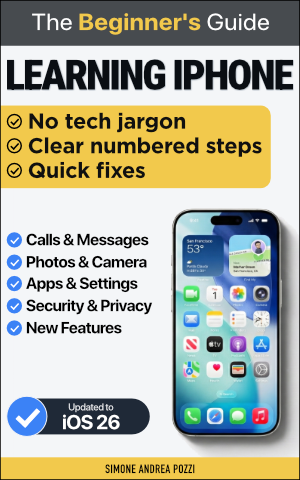
iPhone Gestures at a Glance

Swipe, tap, pinch, and scroll — every gesture you need on one page, with diagrams.

Download PDF
Available

Common Mac Keyboard Shortcuts

The 20 shortcuts that save the most time, grouped by task — copy, undo, find, switch apps.

Download PDF
Coming soon

How to Spot a Scam — 3-Step Checklist

Pause. Verify. Respond. A simple flowchart for any suspicious call, text, or email.

Coming soon

iPhone Privacy Settings Checklist

12 settings to review right now — takes 10 minutes, dramatically improves your privacy.

Coming soon

AI Prompt Starter Kit

10 ready-to-use prompts for everyday tasks — emails, planning, summarising, and more.

Coming soon

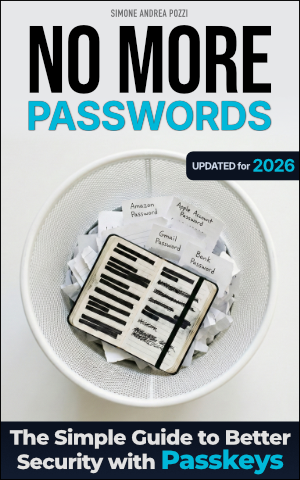
Passkeys Setup Guide

A step-by-step card for setting up passkeys on your most important accounts in one afternoon.

Tech glossary

Tech words, plain English.

Every term here is explained the way it would come up in real life — no technical background needed. Tap any term to expand it.

Plain-English spotlight

A

Short for "application" — a program you install and run on your phone or computer. Apps do one specific thing: take photos, send messages, show maps, and so on. e.g. Maps, WhatsApp, and Safari are all apps.
Apple's official shop for downloading apps to your iPhone, iPad, or Mac. Every app in the store has been checked by Apple before being allowed in.

B

A copy of your data saved somewhere safe — so if your phone is lost, stolen, or broken, you don't lose your photos, contacts, and messages. e.g. iCloud Backup saves a copy of your iPhone to Apple's servers automatically overnight.
A short-range wireless connection that lets devices talk to each other without cables — typically within a few metres. e.g. Wireless headphones, keyboards, and car speakers connect to your phone via Bluetooth.

C

Files and data stored on remote computers (servers) over the internet — not just on your own device. You access them any time, from any device. e.g. Your iCloud photos live "in the cloud" — they're on Apple's servers, not taking up space on your phone.

E

Scrambling data so that only someone with the right "key" can read it. When you see a padlock in your browser's address bar, your connection is encrypted — no one can intercept what you send or receive.

H

Using your phone's mobile data connection to provide Wi-Fi for another device — like turning your iPhone into a portable Wi-Fi router for your laptop.

I

Apple's cloud service. It automatically backs up your iPhone, syncs your photos across all your Apple devices, and stores files you want to access anywhere. Every Apple ID includes 5GB of iCloud storage for free. You can pay for more.

M

A second check beyond your password when you log in — usually a code sent to your phone. Even if someone steals your password, they still can't get in without that code. Also called "two-step verification" or "2FA."

P

A modern replacement for passwords. Instead of typing a password, your device uses Face ID, Touch ID, or your PIN to verify it's really you. Passkeys can't be stolen or phished because they never leave your device.
An app that securely stores all your passwords — so you only need to remember one master password (or use Face ID). It fills in your login details automatically. Apple's built-in Passwords app is a free password manager already on your iPhone and Mac.
A scam where criminals pretend to be a trusted organisation (your bank, Apple, the post office) to trick you into giving them your password or personal details — usually via a fake email, text, or phone call.

S

A photo of exactly what's on your screen at that moment. On iPhone, press the Side button and Volume Up together. On Mac, press Shift + Command + 3.
A new version of your operating system or an app, released by the developer to fix bugs, patch security holes, or add features. Keeping your device updated is one of the most effective ways to stay secure.

V

A service that hides your internet activity from your internet provider and from others on the same network — useful on public Wi-Fi (cafés, airports, hotels). A VPN is not a magic shield — it's a useful layer of protection for specific situations, not a replacement for good security habits.

W

A wireless connection to the internet via a router in your home or a public place. Unlike mobile data, Wi-Fi doesn't use your phone plan's data allowance.
The type of encryption your home Wi-Fi uses to protect the traffic between your devices and your router. WPA3 is the most secure. You can check which one your router uses in your Wi-Fi settings.

Missing a term?

If you've come across a word that isn't here, send it over — I'll add it to the next update.

Suggest a term →